
•     Please make sure you check the Support FAQ and relevant Guides before you create a new thread in this section!

[SOLVED] Getting error on start

Posts
22
Likes
1
After Updating i got this error, Windows 10 x64, i had installed other mod too but without replacing files, i had updated two times instead.

The mod i had installed is Serenity Jedi Engine can be a problem with SDL.dll file.
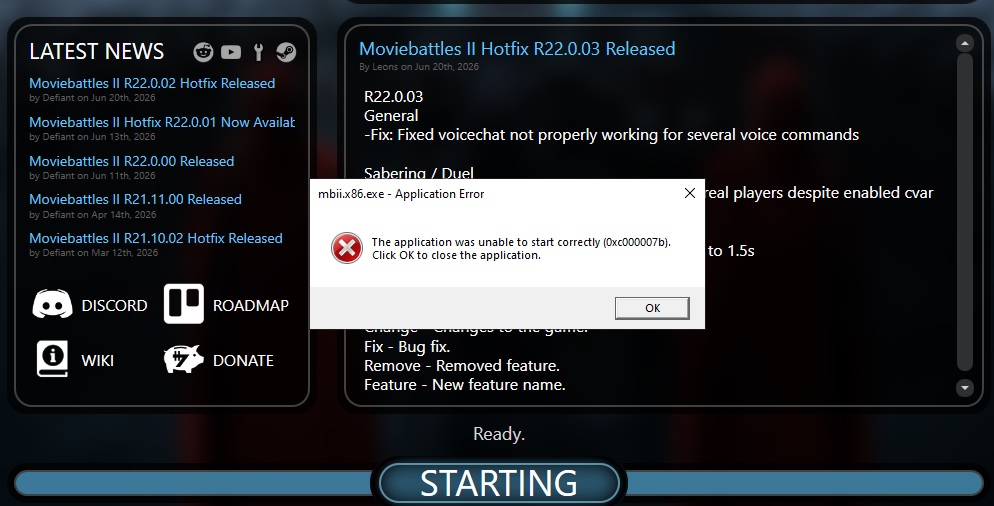
Untitled.jpg
 

Defiant

Nerd
Project Leader
Movie Battles II Team
Code Leader
Posts
1,170
Likes
1,830
Might have overwritten an x86 dll (like SDL), with an x64 one. Repair from launcher will fix mb2, but won't solve your fundamental problem of needing two differnt files.
 
Posts
22
Likes
1
If someone can give sdl.dll plz, because i forget this part and don't had checked this before updating my MBII. Is not on the Launcher and i had just SDL2.dll file. The other mod don't replaces nothing.
 
Last edited:

Fuse294

FA Contributor
Internal Beta Team
Posts
204
Likes
173
This is a common issue you'll see if you play Movie Duels, simply run the repair install to correct it, does mean you'll have to copy the dlls back into the jedi academy folder to run whatever mod you're playing on the side and repair each time you want to play MB2.
 
Top